Beginner's guide
New manager? Your first ten weeks in Backcourt
The first-week questions every new Backcourt manager asks — roles, minutes, energy, treasury, and what the match engine is actually doing while you watch it.
You have picked a club, the squad screen is open, and there is a lot on it. This guide covers the first ten weeks: what to do, in what order, and which of the numbers in front of you actually matter yet.
Week 0: count your players before you judge them
Look at the line under your club name. It says something like 9/15 players. That is the single most important thing on the screen and it is easy to skim past.
Fifteen is the roster limit, and a squad of nine cannot survive an ordinary season. A basketball night is 240 player-minutes; with nine players everyone is playing 26+ minutes, energy never recovers, and the first injury forces a player who has been playing zero minutes into the starting five.
Do this before anything else. If you are under fifteen, sign cheap depth. Not stars — depth. Use the within budget filter, set a minimum rating around 75, and fill the roster. Two competent bench players will win you more games this season than one expensive starter, because they let you rotate at all.
Roles: the setting that changes everything
Every player card has a role. It is not a label. It tells the engine what the player is being asked to do, and it decides what he is graded against afterwards.
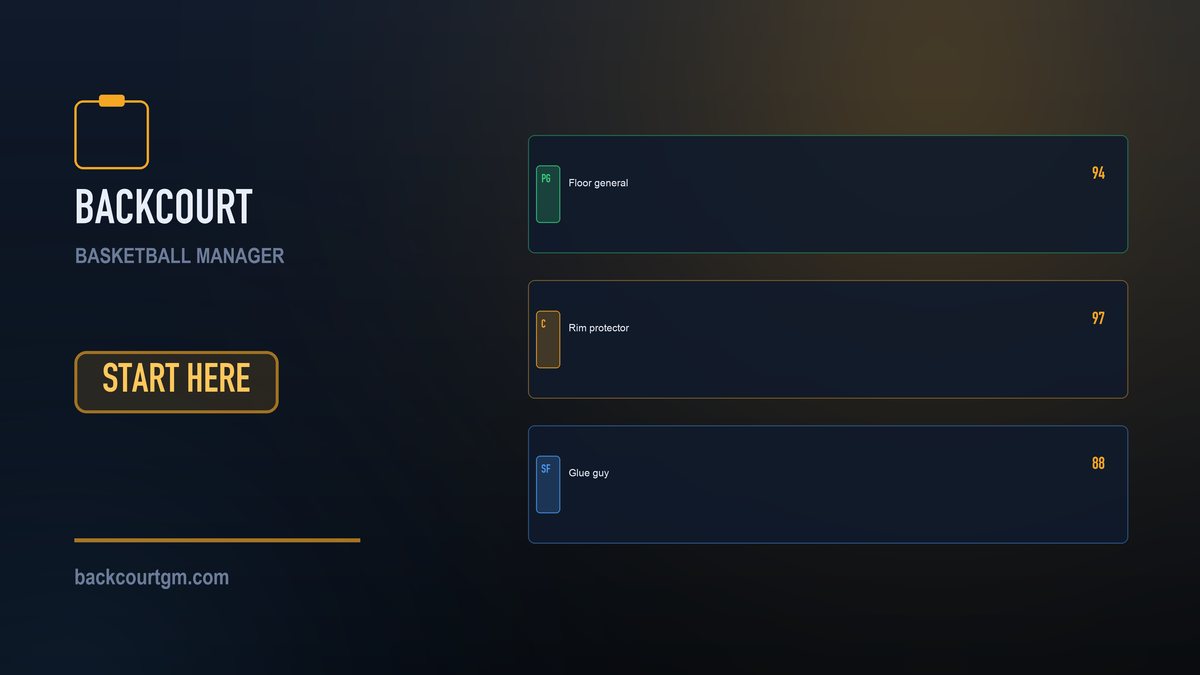
- Rim protector — interior defence and rebounding. For your tallest, strongest defenders.
- Floor general — creation, decision-making, low turnovers. For your primary ball handler.
- Glue guy — the quiet work that never shows up as points. For high-effort, lower-rated players.
A role that fits a player's attributes genuinely raises his output. A role that does not fit lowers his rating even when the box score looks fine — and a player marked down repeatedly loses morale. Go through the roster once and give everybody a role that matches what they are good at. It takes two minutes and it is the highest-value thing a new manager can do.
Full detail in player roles explained.
Minutes: 240 a night, and you are dividing all of them
Tap auto lineup. It will produce a sensible distribution in one tap, and as a new manager you should absolutely use it. Then make one adjustment: find your best one or two players and bring them down toward 34 minutes.
Auto lineup optimises for the match in front of it, not for the Play-In. Playing a star 38–40 minutes every night is how you arrive at February with a exhausted squad. The full argument is in the rotation guide, but the short version is: nine or ten players in the rotation, stars capped around 34, and nobody in your rotation sitting below 70 energy.
Reading the squad row
Each player row gives you the four numbers that matter:
- OVR — overall rating. How good he is.
- P/R/A — points, rebounds and assists he is averaging.
- ENR — energy, 0–100. Below 70 is a problem; below 50 is an injury waiting to happen.
- MIN — the minutes you have assigned him.
Your first match: watch one properly
You can skip straight to the result at any time, and eventually you will skip most games. Watch the first one at 1× with the commentary feed open anyway. Ten minutes here saves you a season of guessing.
You will see markers moving on the court, pass lines between them, and every action landing in the feed with a quarter and clock stamp. That feed is the game explaining itself. When you lose a 12-point lead in the third, the reason is written in there — a run of missed mid-range shots, offensive rebounds conceded, turnovers in a specific stretch.
Once you have watched one, use 4× as your default and skip to result for fixtures you do not care about. There is no penalty for skipping; the same engine decides the game either way.
The controls that matter mid-game
- Timeouts (7 a night) — spend them when the opponent is on a run, not out of habit at the start of a quarter. Stopping a 10–0 stretch is worth far more than a routine break.
- Coach panel — in-game tactical adjustments while the match is live.
- Box score — available at any point, not only at the end.
After the game: the ratings will confuse you once
Your best player scored 23 and got a 6.9. A bench player scored 12 and got a 9.4. This is not a bug — it is the most distinctive thing about the game.
Backcourt grades against expectation. A 97-rated star on 38 minutes is expected to produce; 23 points is a normal night for him, so it is a normal mark. A 78-rated bench player producing 12 in 16 minutes has substantially beaten what anyone was entitled to expect, so his mark is high.
The rating answers the question a coaching staff actually asks: how did he do relative to what he should have done? Once that clicks, the post-game screen becomes the most useful page in the game — it tells you who is genuinely outperforming their contract, which is exactly who deserves more minutes.
The locker room: say the right thing
After the ratings, the squad waits. Four options, with the morale and form effects printed on the buttons before you commit:
| Response | Use it when | Avoid when |
|---|---|---|
| Praise | You won, and they played well | After a loss — it rings hollow |
| Calm review | Almost any ordinary night | Never harmful, just small |
| Blast them | A genuinely bad performance | After a good one — it is expensive |
| Say nothing | An unremarkable result | — |
As a new manager: praise after good wins, calm review the rest of the time, and save blast them for nights that genuinely deserve it. Morale drifts back toward neutral over a few weeks, so no single decision is fatal.
Five mistakes almost every new manager makes
- Running a nine-man roster. Fill to fifteen. Depth is not optional.
- Playing the star 40 minutes every night. Cap around 34 and bank the heavy games.
- Ignoring the ENR column until someone gets injured.
- Chasing a player whose asking price is double his value. That club is not selling — see the transfer guide.
- Signing a big wage without checking the weekly bill. A fee is paid once; a wage is paid forever.
What to do in weeks 1–10
- Fill the roster to fifteen with cheap depth.
- Give every player a role that fits.
- Auto lineup, then cap your stars at ~34 minutes.
- Watch one full match at 1× to learn the engine.
- Check the ENR column every three weeks and cut minutes for anyone under 70.
- Do not buy anyone until you have seen twenty games of your own squad.
That last one matters more than it sounds. Ten weeks of results will tell you where you are genuinely short — which is almost never where you assumed on day one.
One thing happens before any of this. If you have not started a career yet, the half hour in which you name your club and sign your first squad shapes everything that follows: how to spend the opening budget.
Frequently asked
What should I do first in Backcourt?
Fill your roster to fifteen players, give every player a role, then set the rotation. A squad with nine players cannot absorb a single injury, so depth comes before quality when you are starting out.
Do I need to watch matches to win?
No. The same engine decides the result whether you watch at 1x or skip straight to the outcome. Watching one full match early is worth it purely to understand what the engine is doing.
Why is my team losing even though my players are good?
The three usual causes are a rotation that is too short, roles that do not fit the players, and energy sitting below 70. All three are visible on the squad screen.
Is Backcourt free to play?
Yes. It is free on iOS and Android, and there is nothing you can buy that makes a squad stronger, speeds up recovery or changes a match outcome.

Try it on your own club tonight
Backcourt is free on iOS and Android. Career mode works offline, and there is nothing to buy that makes your squad stronger.